
Get Access to
Hundreds of English
Lessons Designed for
the Online Classroom
Interactive lessons, student profiles with stars and certificates, and a serious toolkit—libraries, whiteboard, question sparks, and six ready-to-play games built in. Built for Zoom, ClassIn, Google Meet, and every online classroom. Screen-share and teach with zero prep.
Start your 14-day free trial—enter your payment details at checkout; cancel anytime.
Works with
Try ESL Courseware Free for 14 Days
Full access to 500+ lessons, student management, stars & certificates, libraries, whiteboard, question generator, six built-in games, and more. Enter your payment details at checkout to start your trial—you won't be charged until the trial ends.
Start your 14-day free trialCancel anytime. No commitment.
Why teachers subscribe
Everything you need to wow your online classroom
Lessons, motivation, and pro tools in one tab—so you can focus on teaching, not juggling ten different websites.
500+ interactive lessons
Games, drag-and-drop, audio, and video inside every level. Kids, teens, adults, IELTS, and Business English—Oxford-style progression you can screen-share in seconds.
True zero prep
Pick a category, open a lesson, share your screen. No slides to build, no PDFs to hunt—just teach.
Students who feel seen
Profiles, notes, and “where we left off” tracking. Award stars, celebrate milestones, and send home gorgeous certificates at 50, 100, 150, 200+ stars.
Your command center
Link, video, and PDF libraries. Whiteboard, lesson timer, random question generator, embedded browser, annotation tips—and six built-in games for breaks, rewards, and energy shifts. One workspace; no tab chaos.
Important · OTC Pro & full suite only
The six built-in games in this section are for teachers who subscribe to OTC Pro and our full suite of teaching apps. This is not describing the ESL Courseware–only checkout path. See OTC Pro
Online Teacher Game · built in
Six games. One click. Instant energy in class.
Break the ice, reward effort, or review vocabulary—without leaving ESL Courseware. Open the games hub from the toolbar, go full-screen below your menu bar, or pop the site out into its own tab.
- Connect Four Strategy & turns
- Random Grid Surprise prompts
- Snakes & Ladders Classic fun
- Tic-Tac-Toe Quick rounds
- Match Memory & pairs
- Word Search Hunt the word
On OTC Pro with the full suite, launch these anytime from the Games button in the app toolbar.
Simple workflow
From login to “we love this class” in four beats
No training manual required—if you can share a screen, you can run ESL Courseware.
Choose a lesson
Filter by level, age band, or exam track. Preview thumbnails and jump straight into what fits today’s objective.
Share your screen
Zoom, ClassIn, Meet, or anything else—your lesson runs in the browser, crisp and full-screen for learners.
Interact & reward
Students engage with embedded activities. Drop in a game, spin the question generator, or sketch on the whiteboard—then award stars in real time.
Close with confidence
Notes and last-lesson summaries stay on the student profile. Next week, you pick up exactly where you left off.
Inside the lessons
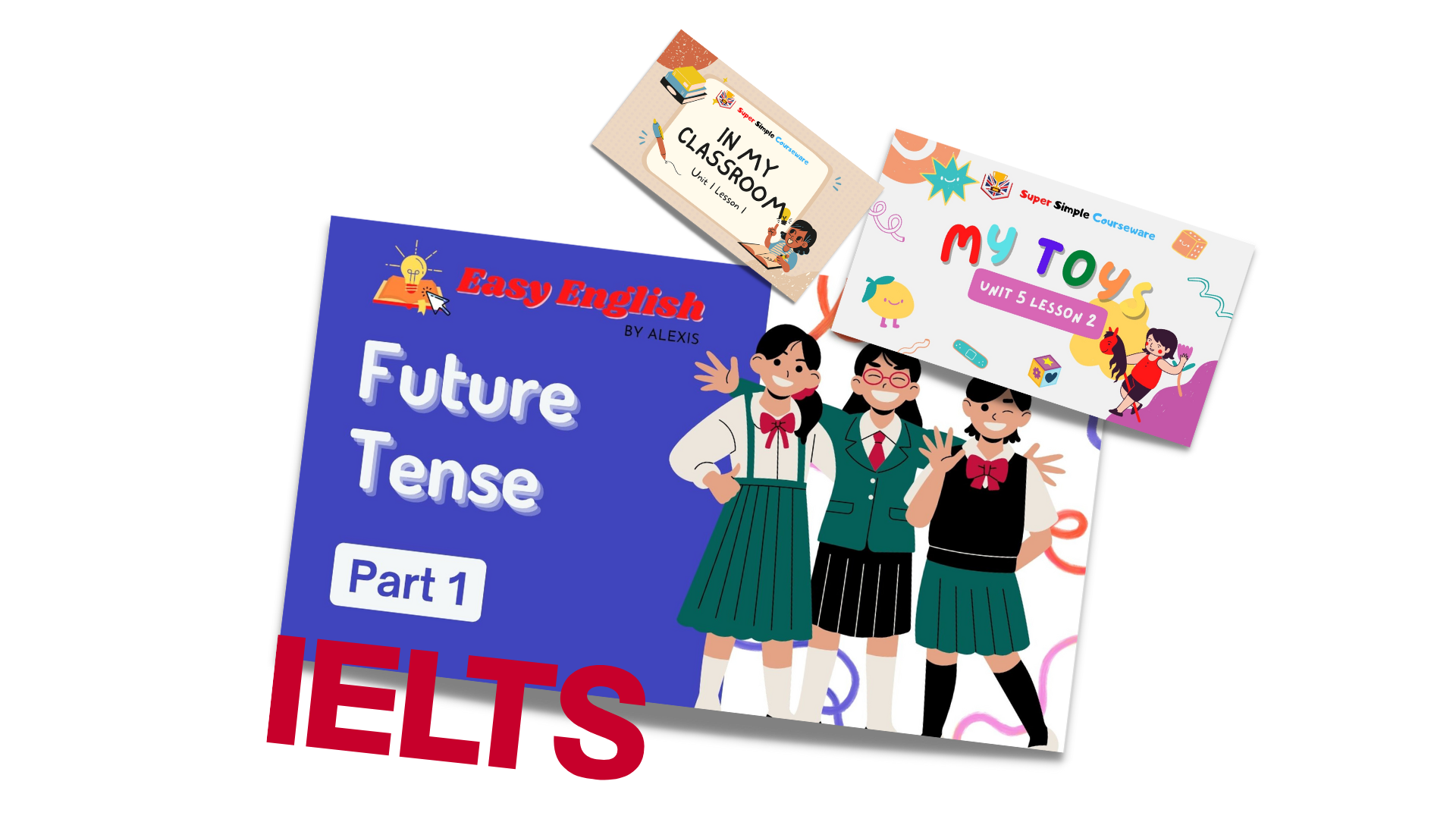
Lessons that look and feel like real class—not static slides
Audio, motion, draggable tasks, and visuals tuned for the rectangle your students see when you share your screen.
See the platform in action
Two minutes of video beats a wall of bullet points—watch the flow from lesson pick to teaching. Then start your 14-day free trial and try the games and tools yourself.
Motivation that sticks
Stars & certificates they’ll show their parents
Turn “good job” into a ritual—visible progress, loud celebrations, and printable proof of how hard they’ve worked.
How the Star Award System Works
- ★ Earn stars — Award up to 10 stars per session. Stars accumulate over time and motivate students to engage and participate.
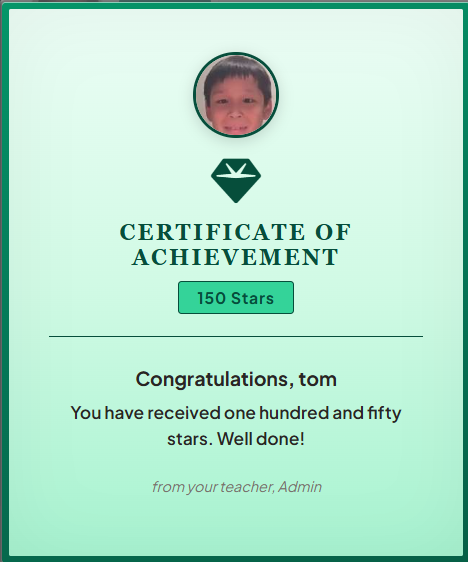
- ★ Reach milestones — Students receive special certificates at 50, 100, 150, 200 stars, and every 50 stars beyond.
- ★ Celebrate achievements — Each milestone triggers a celebration animation and a downloadable certificate personalized with the student’s name and photo.
Beautiful, printable certificates that students love to earn and share—from their teacher, with their name and achievement proudly displayed.
Toolbar superpowers
Tools that turn chaos into flow
Every icon in the app is there because teachers asked for it—libraries for assets, surfaces for thinking, and games for joy.
Link library
Save URLs, tag favorites, and relaunch Docs, Quizlet, Padlet, or your own go-to sites from chips—no hunting through chat history.
Video library
Build a personal YouTube shelf: paste a link once, then open any saved clip in a polished overlay during class.
PDF library
Upload handouts (within generous limits), name them clearly, and present with zoom-friendly controls—everything in one place.
Whiteboard
Sketch, stamp shapes, drop text, erase, and move objects—your scratch space for examples when the lesson needs a detour.
Random question generator
Kids, adults, IELTS, business—spin up fresh prompts for warm-ups, debates, or exit tickets whenever the room needs energy.
Annotation-ready
Works alongside Zoom, Meet, and Teams markup—or grab our recommended Chrome extension when you want to ink on top of anything.
Online Teacher Game hub
Six games ready when you are: Connect Four, Random Grid, Snakes & Ladders, Tic-Tac-Toe, Match, and Word Search. Embed beside your lesson, expand below the menu bar, or open in a new tab—your call.
The full picture
Your complete teaching toolkit
If it’s listed here, it’s included—no “pro tier” gate on the parts that matter day to day.

This app is now available with OTC Pro
OTC Pro is one subscription for ESL Courseware plus your booking calendar, classroom tools, resource library, games, live training, and teacher community—everything together instead of paying for each product separately.
The checkout links below apply the EARLYBUYER coupon automatically.
For most teachers, OTC Pro is better value than subscribing only to ESL Courseware—you get this app plus the full teaching stack for one monthly or annual price.
Powered by OTC Pro · Online Teachers Club
ESL courseware is currently available through a package subscription at OTC that also gives you access to a 2 TB drive worth of teaching materials. Click here to learn more.
Teachers talking
Built with real online classrooms in mind
I save hours every week. Zero prep, engaging lessons—and when energy dips we flip to a game without leaving the tab.
— Online ESL teacher
Stars and certificates keep my kids motivated. Libraries + whiteboard + games means I’m not juggling five subscriptions.
— Kids ESL teacher
Works perfectly with ClassIn. Share screen, run the lesson, award a star—done. It really is that simple.
— Independent ESL teacher
FAQ
Answers before you click subscribe
What platforms does ESL Courseware work with?
ESL Courseware works with Zoom, Skype, ClassIn, Google Meet, and other video conferencing platforms. Simply share your screen and teach. The lessons are designed for online classrooms.
Do I need to prepare lessons?
No. With 500+ ready-to-teach interactive lessons, you can browse by category, level, or unit and start teaching immediately. Load a lesson, share your screen, and let students interact with the activities.
How does the stars and certificates system work?
You can award up to 10 stars per session. Stars accumulate over time. Students automatically receive downloadable certificates and a celebration animation at 50, 100, 150, 200 stars, and every 50 stars after.
Can I try before subscribing?
Yes! You can try ESL Courseware free for 14 days with full access. Start your 14-day free trial at the ESL Courseware checkout (USD $5.99/mo or $49/year)—enter your payment details to begin; you won't be charged until the trial ends. For the full OTC Pro bundle instead, see OTC Pro above or the OTC package page for the 2 TB teaching materials drive.
What games are included?
Your subscription includes the Online Teacher Game hub inside the app, with Connect Four, Random Grid, Snakes & Ladders, Tic-Tac-Toe, Match, and Word Search. Open them from the Games button, expand below your menu bar, or launch the site in a new tab if you prefer.
Ready to teach with zero prep?
Start your 14-day free trial at checkout—cancel anytime.
Start 14-day free trial